All posts

loops

2 posts

p5.js Session 5: While Loops

In Session 4 the for loop knew in advance how many times to run. Sometimes you don’t know. You just want to keep going until something stops you.

The while loop

Think of filling a shelf with books. You don’t count them in advance. You pick one up from the pile, check whether there’s space, place it on the shelf, and repeat. The moment the shelf is full, you stop.

A while loop works the same way. It checks a condition before each run. If the condition is true, it runs. If it is false, it stops.

function setup() {
  createCanvas(400, 400);
  noLoop();
}
function draw() {
  background(0);
  fill(200, 50, 50);
  noStroke();
  let x = 50;
  while (x < width) {
    ellipse(x, 200, 40, 40);
    x += 70;
  }
}

x starts at 50. After each circle, x increases by 70. The loop keeps going as long as x is less than the canvas width. When x reaches or passes 400, the condition is false and the loop stops. How many circles? p5.js works it out at runtime. You just described when to stop.
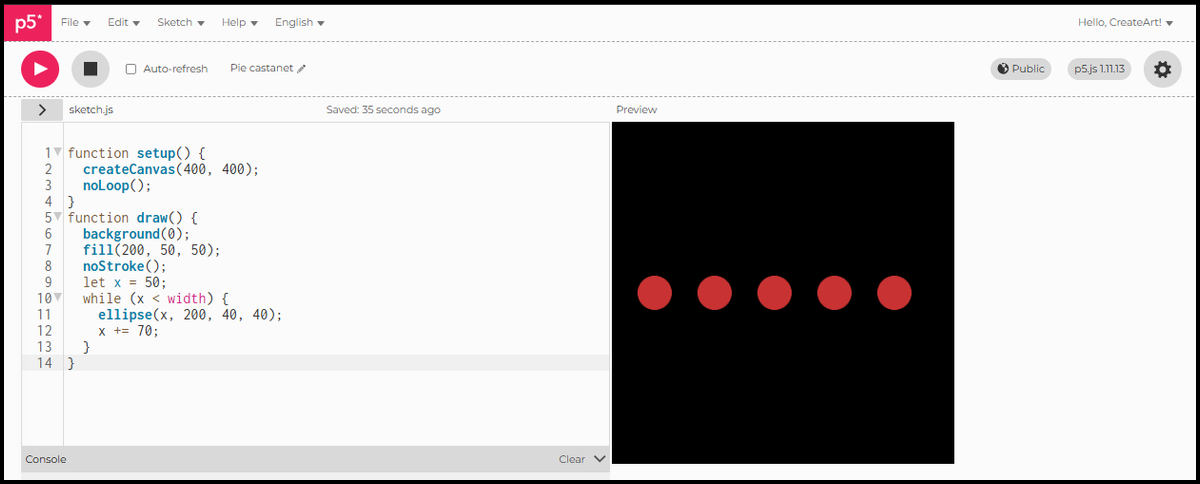
Red circles in a row on a black canvas

Shrinking rectangles

A while loop becomes more interesting when multiple things change with each step. Here four variables update together: x and y move the starting corner diagonally, w and h shrink the size. The condition is spatial: stop when x is 80 pixels from the right edge.

function setup() {
  createCanvas(400, 400);
  noLoop();
}
function draw() {
  background(0);
  noFill();
  stroke(200, 50, 50);
  strokeWeight(2);
  let x = 20;
  let y = 20;
  let w = 120;
  let h = 120;
  while (x < width - 80) {
    rect(x, y, w, h);
    x += 30;
    y += 30;
    w -= 4;
    h -= 4;
  }
}

Each rectangle steps 30 pixels down and to the right, and shrinks by 4 pixels on each side. No fill, just an outline: every rectangle layers over the last, and the overlapping edges create a staircase pattern across the canvas. Four things changing at once, one condition controlling when it stops.
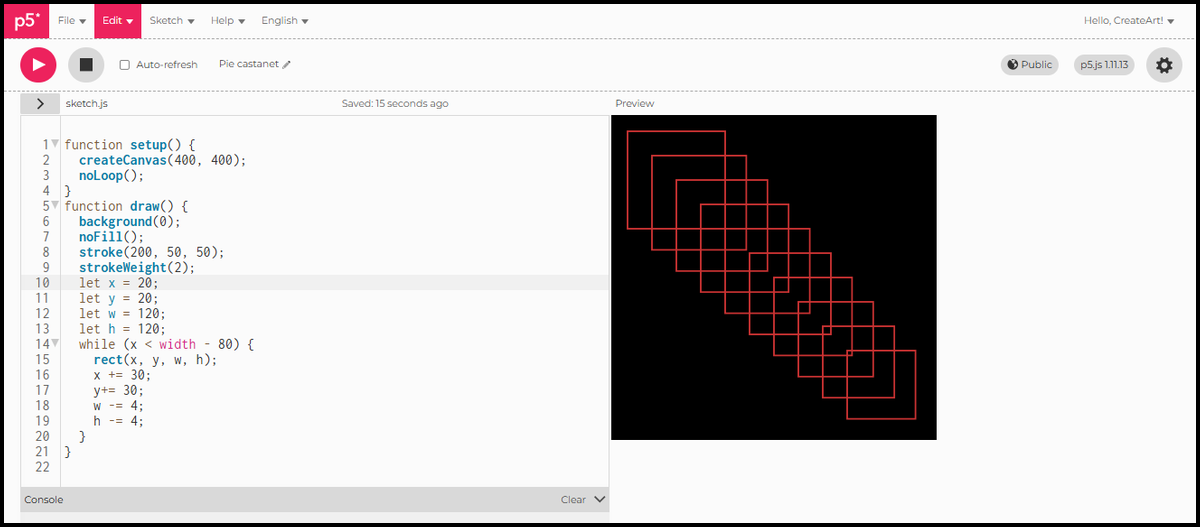
Red outlined rectangles stepping diagonally across a black canvas, each smaller than the last

Infinite loops

Every while loop needs something inside it that eventually makes the condition false. In the example above, x += 30 is that thing. Without it, x never changes, the condition stays true, and the sketch freezes. p5.js stops responding and you have to reload the page. Before running any while loop, check that the update is there.


In Session 6 we look at conditions: how to make different things happen in different parts of the canvas.
p5.js Session 4: Loops and Grids

In Session 3 we placed each shape manually, one line of code at a time. A loop lets you describe a shape once and repeat it as many times as you want.

The for loop

Think of stamping a shape along a line. You pick it up, press it down, move it along, and repeat. A for loop does exactly that in code.

for (let i = 0; i < 5; i++) {
  // this runs 5 times
}

Three parts, separated by semicolons. let i = 0 sets the starting point. i < 5 is the condition: keep going as long as it is true. i++ increases i by 1 after each run. When i reaches 5 the condition is false and the loop stops.

function setup() {
  createCanvas(600, 400);
  noLoop();
}
function draw() {
  background(0);
  fill(200, 50, 50);
  noStroke();
  for (let i = 0; i < 6; i++) {
    ellipse(100 + i * 75, 200, 40, 40);
  }
}

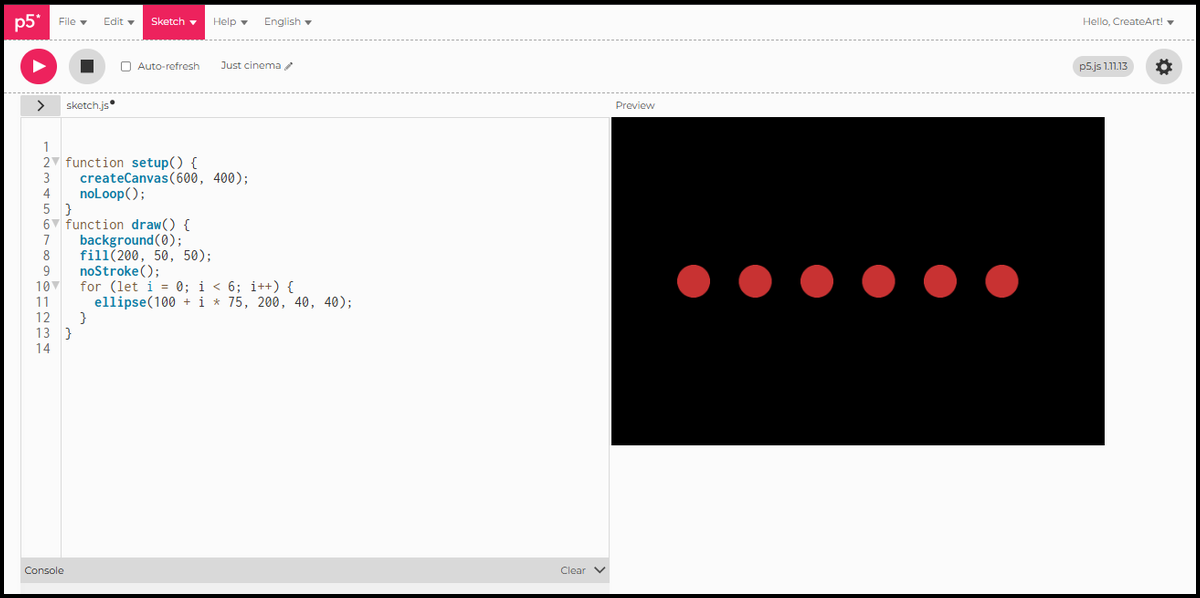
Six equal circles, evenly spaced across a black canvas. Each one is placed at 100 + i * 75: when i is 0 that is 100, when i is 1 that is 175, and so on.

Six equal red circles evenly spaced in a row on a black canvas

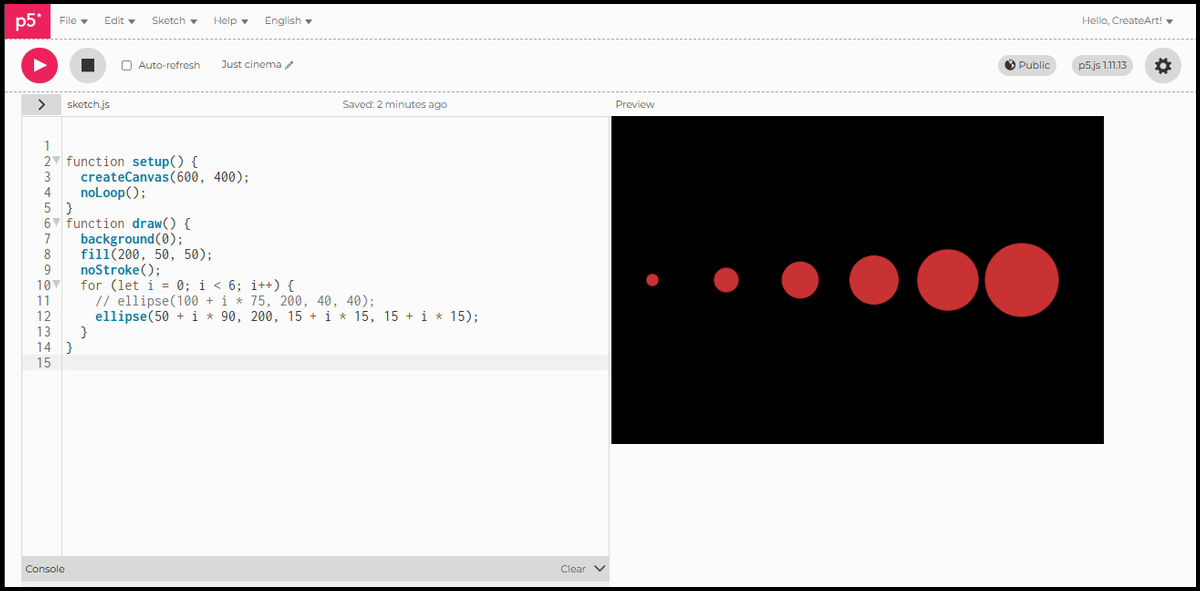
i is not just a counter. It is a variable, and you can use it to change any property of the shape. Here it drives the size: each circle is 15 pixels wider than the last.

function setup() {
  createCanvas(600, 400);
  noLoop();
}
function draw() {
  background(0);
  fill(200, 50, 50);
  noStroke();
  for (let i = 0; i < 6; i++) {
    ellipse(50 + i * 90, 200, 15 + i * 15, 15 + i * 15);
  }
}

When i is 0 the diameter is 15. When i is 5 the diameter is 90. The same variable controls where each circle sits and how large it is.

Six red circles in a row growing from small on the left to large on the right

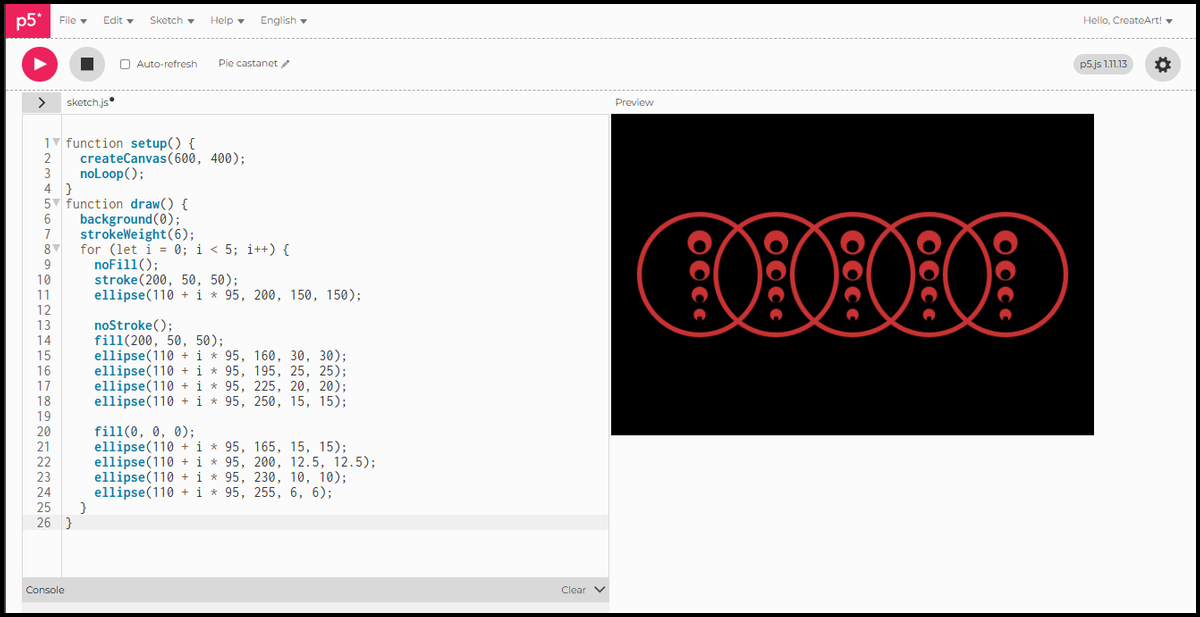
Once you are comfortable with a single loop, you can combine shapes inside it to build more complex patterns. The loop still runs the same way. Everything inside repeats for each value of i.

function setup() {
  createCanvas(600, 400);
  noLoop();
}
function draw() {
  background(0);
  strokeWeight(6);
  for (let i = 0; i < 5; i++) {
    noFill();
    stroke(200, 50, 50);
    ellipse(110 + i * 95, 200, 150, 150);

    noStroke();
    fill(200, 50, 50);
    ellipse(110 + i * 95, 160, 30, 30);
    ellipse(110 + i * 95, 195, 25, 25);
    ellipse(110 + i * 95, 225, 20, 20);
    ellipse(110 + i * 95, 250, 15, 15);

    fill(0, 0, 0);
    ellipse(110 + i * 95, 165, 15, 15);
    ellipse(110 + i * 95, 200, 12.5, 12.5);
    ellipse(110 + i * 95, 230, 10, 10);
    ellipse(110 + i * 95, 255, 6, 6);
  }
}

One loop, many shapes per iteration. The single value of i positions everything in the group at once.

Five groups of nested circles on a black canvas, each with a large red outline and a column of smaller red and black circles inside

Nested loops

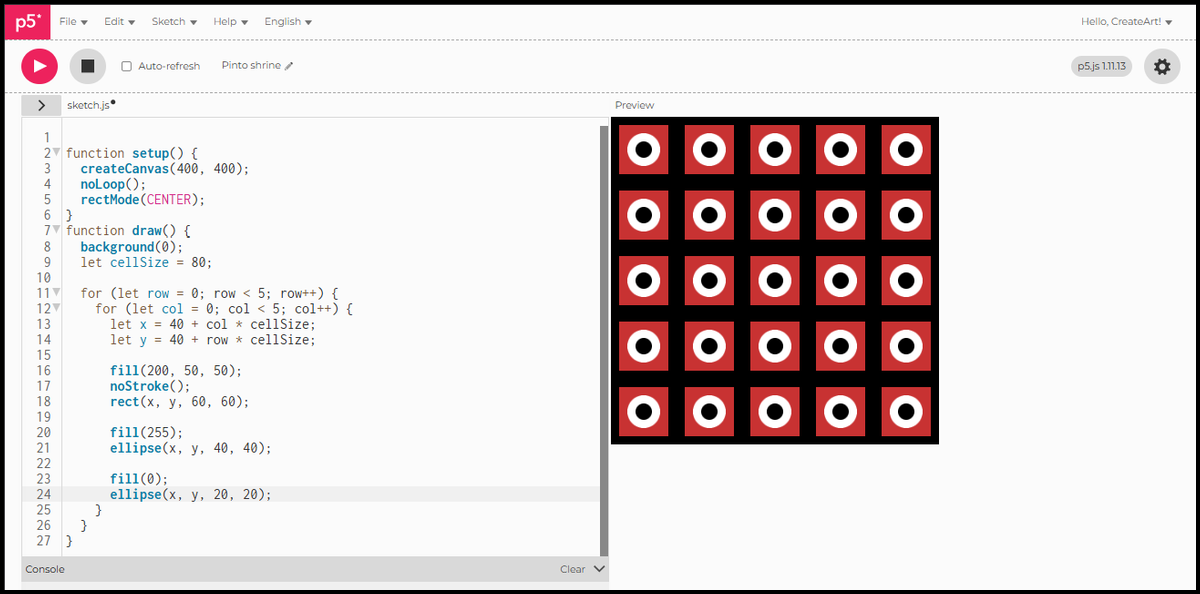
A single loop repeats something in a line. Two loops nested together repeat it across a grid: the outer loop moves down the rows, the inner loop moves across each column.

function setup() {
  createCanvas(400, 400);
  noLoop();
  rectMode(CENTER);
}
function draw() {
  background(0);
  let cellSize = 80;
  for (let row = 0; row < 5; row++) {
    for (let col = 0; col < 5; col++) {
      let x = 40 + col * cellSize;
      let y = 40 + row * cellSize;
      fill(200, 50, 50);
      noStroke();
      rect(x, y, 60, 60);
      fill(255);
      ellipse(x, y, 40, 40);
      fill(0);
      ellipse(x, y, 20, 20);
    }
  }
}
  • cellSize controls the spacing between cells.
  • x and y are calculated fresh for each cell.
  • Inside each cell: a red square, a white ring, and a black centre, all stacked at the same point using rectMode(CENTER) from Session 3.

Every cell is identical, the grid handles the repetition.

A 5 by 5 grid of red squares each containing a white ring and a black centre

Size variation

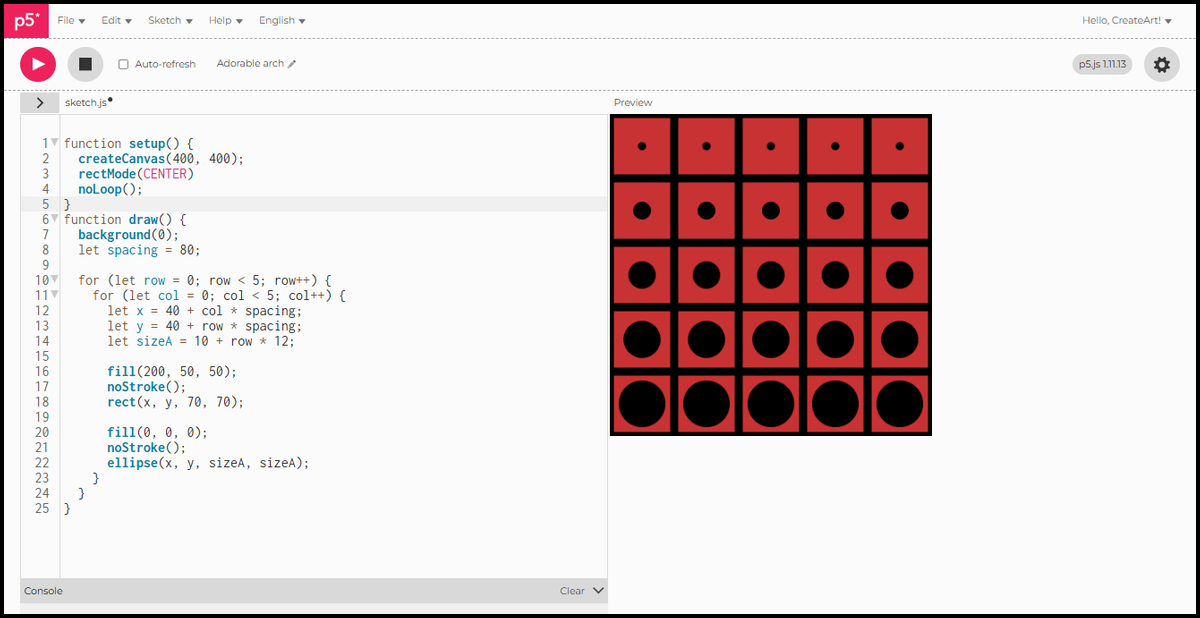
The loop variable does not have to control position. Here row drives the size of the black circle: the further down the canvas, the bigger it grows inside its cell.

function setup() {
  createCanvas(400, 400);
  rectMode(CENTER);
  noLoop();
}
function draw() {
  background(0);
  let spacing = 80;
  for (let row = 0; row < 5; row++) {
    for (let col = 0; col < 5; col++) {
      let x = 40 + col * spacing;
      let y = 40 + row * spacing;
      let sizeA = 10 + row * 12;
      fill(200, 50, 50);
      noStroke();
      rect(x, y, 70, 70);
      fill(0, 0, 0);
      noStroke();
      ellipse(x, y, sizeA, sizeA);
    }
  }
}

The top row has circles barely visible. By the bottom row they nearly fill the cell. Every cell in the same row is identical. One variable, sizeA, drives the whole variation across the grid.

A 5 by 5 grid of red squares with black circles that grow larger from the top row to the bottom row


In Session 5 we look at while loops: a different way to repeat, useful when you do not know in advance how many times something should run.