In Session 3 we placed each shape manually, one line of code at a time. A loop lets you describe a shape once and repeat it as many times as you want.
The for loop
Think of stamping a shape along a line. You pick it up, press it down, move it along, and repeat. A for loop does exactly that in code.
for (let i = 0; i < 5; i++) {
  // this runs 5 times
}
Three parts, separated by semicolons. let i = 0 sets the starting point. i < 5 is the condition: keep going as long as it is true. i++ increases i by 1 after each run. When i reaches 5 the condition is false and the loop stops.
function setup() {
  createCanvas(600, 400);
  noLoop();
}
function draw() {
  background(0);
  fill(200, 50, 50);
  noStroke();
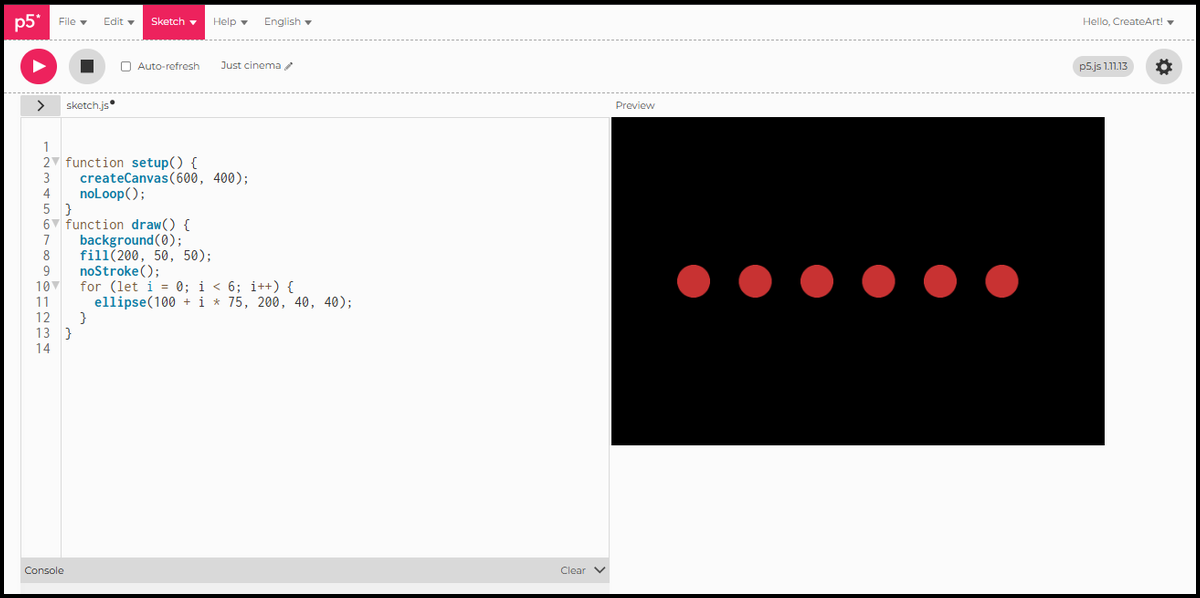
  for (let i = 0; i < 6; i++) {
    ellipse(100 + i * 75, 200, 40, 40);
  }
}
Six equal circles, evenly spaced across a black canvas. Each one is placed at 100 + i * 75: when i is 0 that is 100, when i is 1 that is 175, and so on.
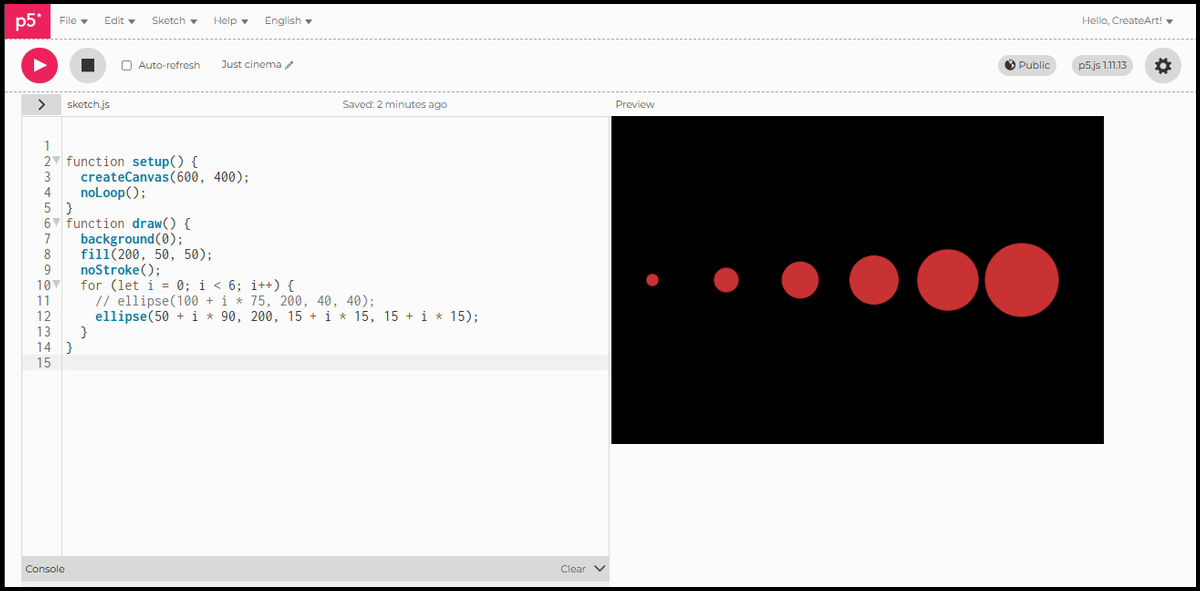
i is not just a counter. It is a variable, and you can use it to change any property of the shape. Here it drives the size: each circle is 15 pixels wider than the last.
function setup() {
  createCanvas(600, 400);
  noLoop();
}
function draw() {
  background(0);
  fill(200, 50, 50);
  noStroke();
  for (let i = 0; i < 6; i++) {
    ellipse(50 + i * 90, 200, 15 + i * 15, 15 + i * 15);
  }
}
When i is 0 the diameter is 15. When i is 5 the diameter is 90. The same variable controls where each circle sits and how large it is.
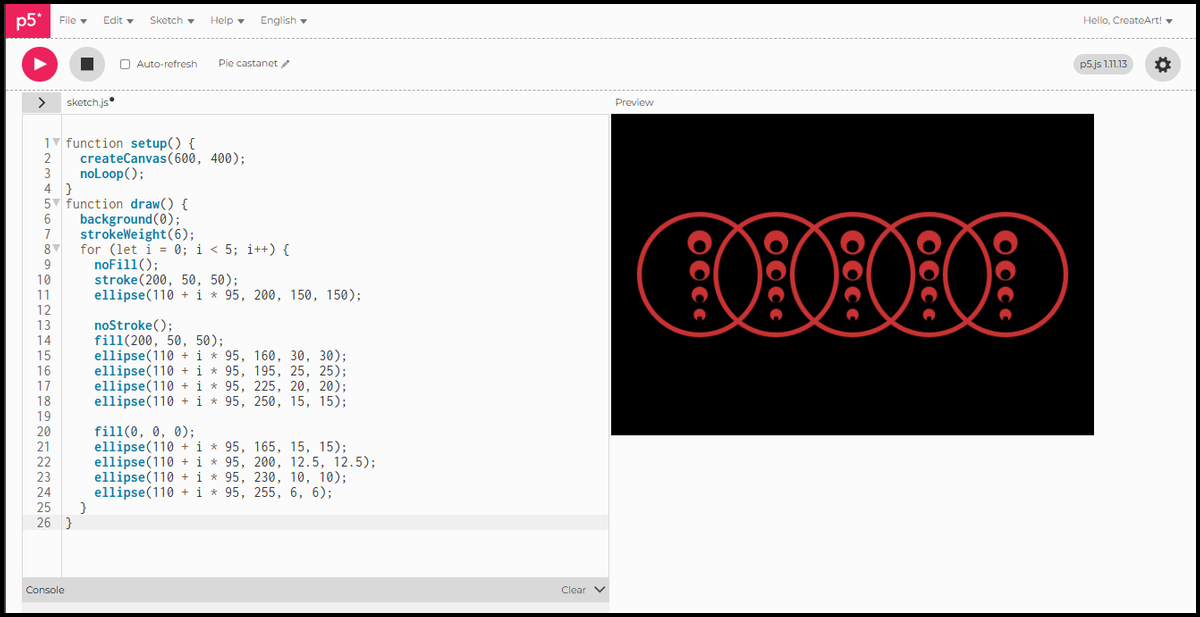
Once you are comfortable with a single loop, you can combine shapes inside it to build more complex patterns. The loop still runs the same way. Everything inside repeats for each value of i.
function setup() {
  createCanvas(600, 400);
  noLoop();
}
function draw() {
  background(0);
  strokeWeight(6);
  for (let i = 0; i < 5; i++) {
    noFill();
    stroke(200, 50, 50);
    ellipse(110 + i * 95, 200, 150, 150);

    noStroke();
    fill(200, 50, 50);
    ellipse(110 + i * 95, 160, 30, 30);
    ellipse(110 + i * 95, 195, 25, 25);
    ellipse(110 + i * 95, 225, 20, 20);
    ellipse(110 + i * 95, 250, 15, 15);

    fill(0, 0, 0);
    ellipse(110 + i * 95, 165, 15, 15);
    ellipse(110 + i * 95, 200, 12.5, 12.5);
    ellipse(110 + i * 95, 230, 10, 10);
    ellipse(110 + i * 95, 255, 6, 6);
  }
}
One loop, many shapes per iteration. The single value of i positions everything in the group at once.
Nested loops
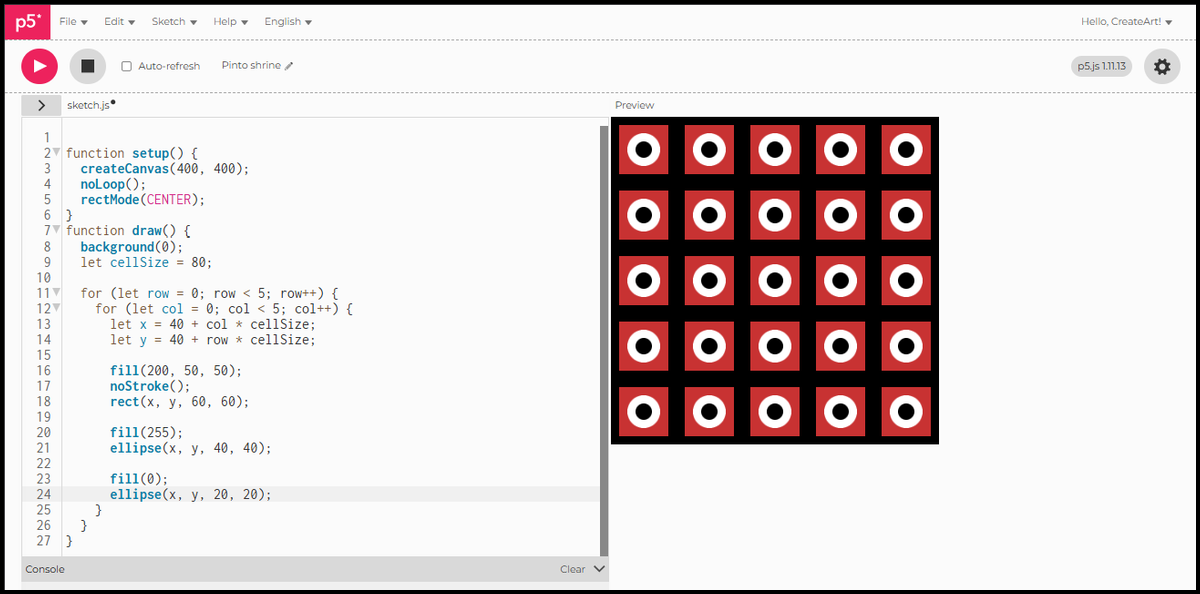
A single loop repeats something in a line. Two loops nested together repeat it across a grid: the outer loop moves down the rows, the inner loop moves across each column.
function setup() {
  createCanvas(400, 400);
  noLoop();
  rectMode(CENTER);
}
function draw() {
  background(0);
  let cellSize = 80;
  for (let row = 0; row < 5; row++) {
    for (let col = 0; col < 5; col++) {
      let x = 40 + col * cellSize;
      let y = 40 + row * cellSize;
      fill(200, 50, 50);
      noStroke();
      rect(x, y, 60, 60);
      fill(255);
      ellipse(x, y, 40, 40);
      fill(0);
      ellipse(x, y, 20, 20);
    }
  }
}cellSizecontrols the spacing between cells.xandyare calculated fresh for each cell.- Inside each cell: a red square, a white ring, and a black centre, all stacked at the same point using
rectMode(CENTER)from Session 3.
Every cell is identical, the grid handles the repetition.
Size variation
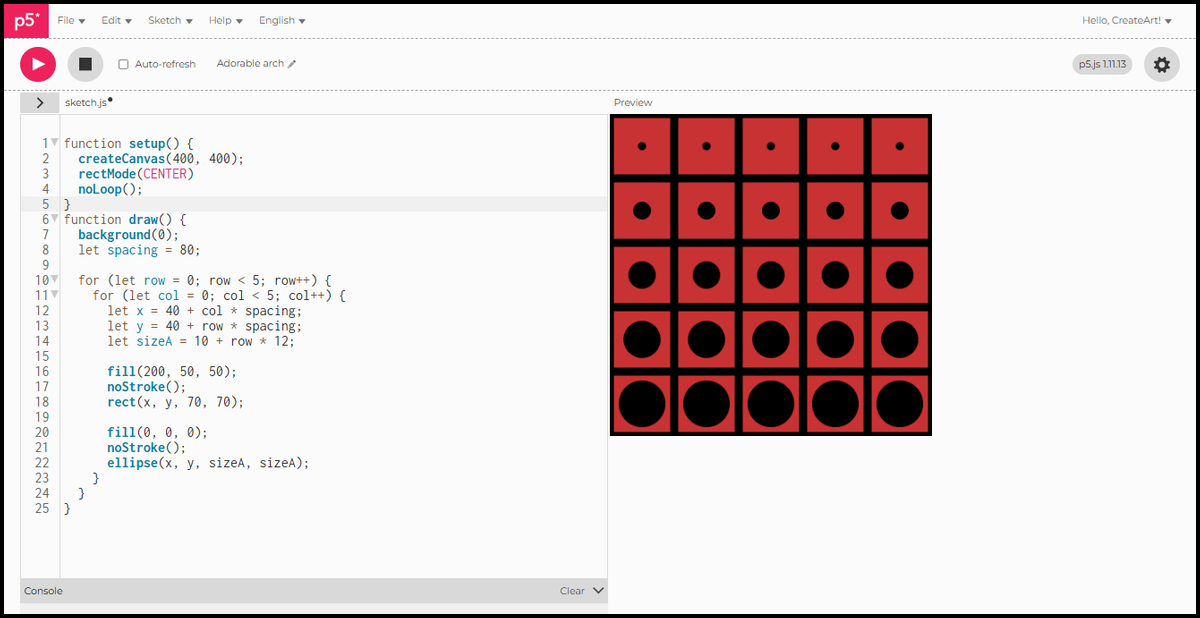
The loop variable does not have to control position. Here row drives the size of the black circle: the further down the canvas, the bigger it grows inside its cell.
function setup() {
  createCanvas(400, 400);
  rectMode(CENTER);
  noLoop();
}
function draw() {
  background(0);
  let spacing = 80;
  for (let row = 0; row < 5; row++) {
    for (let col = 0; col < 5; col++) {
      let x = 40 + col * spacing;
      let y = 40 + row * spacing;
      let sizeA = 10 + row * 12;
      fill(200, 50, 50);
      noStroke();
      rect(x, y, 70, 70);
      fill(0, 0, 0);
      noStroke();
      ellipse(x, y, sizeA, sizeA);
    }
  }
}
The top row has circles barely visible. By the bottom row they nearly fill the cell. Every cell in the same row is identical. One variable, sizeA, drives the whole variation across the grid.
In Session 5 we look at while loops: a different way to repeat, useful when you do not know in advance how many times something should run.