p5.js Session 14: Saving Your Sketch
Thirteen sessions in, everything we have drawn has lived and died inside the browser. This one gets a sketch out as a file you can keep, and the sketch we save uses nearly everything the series has covered.
A sketch made of everything so far
A grid, a palette, two triangles per cell, and chance deciding every colour. The palette is Cherry Blossom Bloom, ten colours this time instead of nine.
let palette;
function setup() {
  createCanvas(800, 800);
  noLoop();
  noStroke();
  palette = [
    '#590D22', '#800F2F', '#A4133C', '#C9184A', '#FF4D6D',
    '#FF758F', '#FF8FA3', '#FFB3C1', '#FFCCD5', '#FFF0F3'
  ];
}
function draw() {
  background(0);
  let cells = 14;
  let cellSize = 50;
  for (let row = 0; row < cells; row++) {
    for (let col = 0; col < cells; col++) {
      let x = 50 + col * cellSize;
      let y = 50 + row * cellSize;
      fill(palette[floor(random(palette.length))]);
      triangle(x, y, x + cellSize, y, x, y + cellSize);
      fill(palette[floor(random(palette.length))]);
      triangle(x + cellSize, y, x + cellSize, y + cellSize, x, y + cellSize);
    }
  }
}
function keyPressed() {
  if (key === 's' || key === 'S') {
    saveCanvas('cherry-blossom-grid', 'png');
  }
}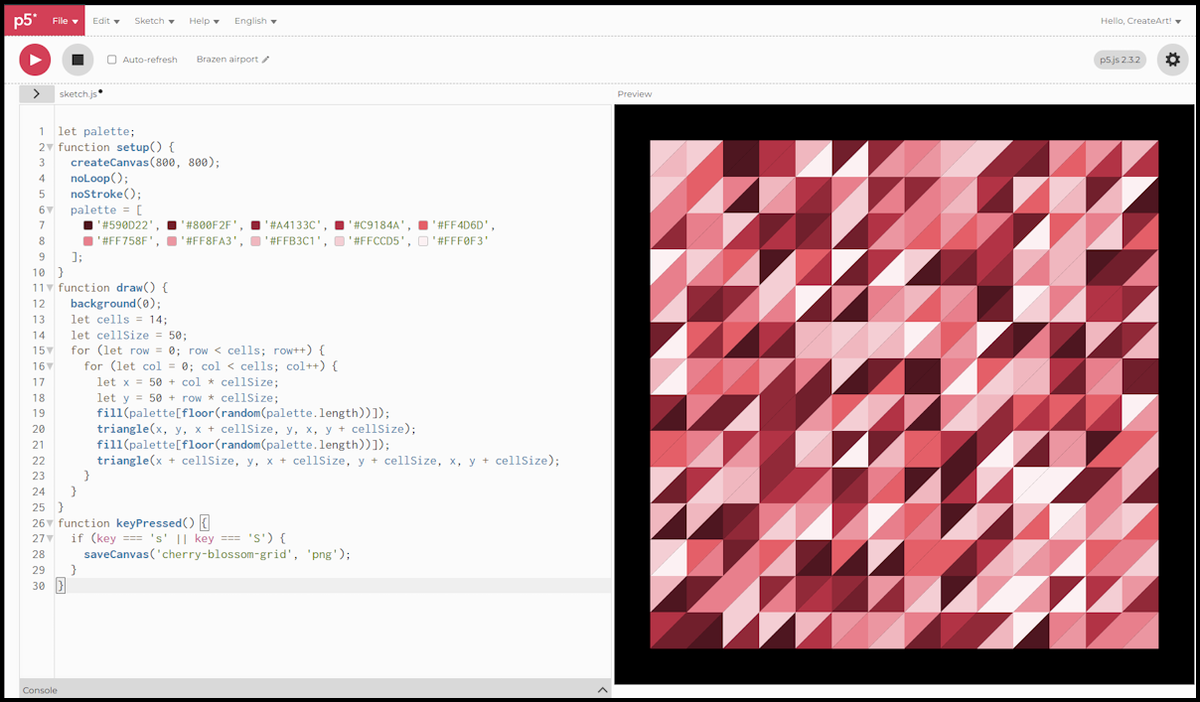
cellsis 14 andcellSizeis 50, so the grid covers 700 by 700.- Starting
xandyat 50 leaves an even black margin on all four sides of the 800 canvas. - Each cell is two triangles split corner to corner, and each triangle draws its own colour from the palette, so a cell is rarely one flat shape.
- Nothing in
draw()is new. Nested loops from Session 4,random()andfloor()from Session 10,triangle()from Session 3, and the palette from Session 13.
Saving it with a key press
The last four lines are the whole point of the session.
keyPressed()is a function p5.js calls for you, once, each time a key goes down. You never call it yourself, you only declare it.keyholds the character that was typed. Checking's'and'S'means it saves whether or not shift is held.saveCanvas('cherry-blossom-grid', 'png')writes the canvas out under that name.'jpg'and'webp'work too.- Click the canvas once before pressing the key. Until the sketch has focus, the key press goes to the editor instead and nothing happens.
Depending on your browser, the file either lands in your downloads folder straight away or opens a save dialogue.
What you actually get
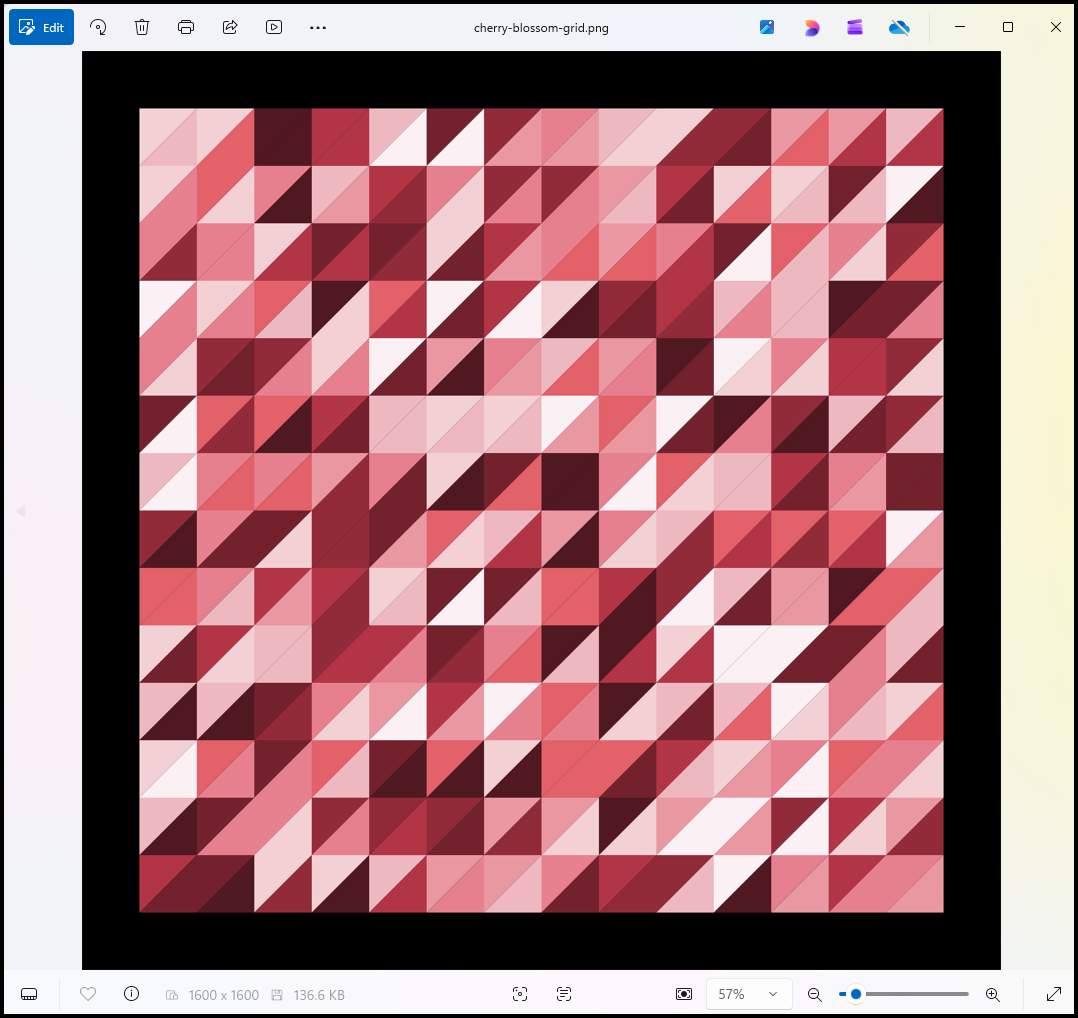
The canvas is 800 by 800. The file is 1600 by 1600.
- p5.js matches the pixel density of your display by default, and on a high density screen that doubles every dimension of the saved file.
pixelDensity(1)insetup()switches that off and gives you a file exactly the size of your canvas.- Calling
pixelDensity()with no value tells you what density you are currently on.
This matters the moment you want to print something. Run it, press s, and check the dimensions of what comes out before you plan around them.
The scripts in this session were written for p5.js 2.3.2, the version the web editor runs by default.
Next session, we make a sketch move: animation, frame by frame.