p5.js Session 10: Randomness and Variation
In Session 9 we used a function to place flowers exactly where we wanted, corner by corner. Now let’s hand that decision over to chance.
random()
random(min, max) returns a decimal number somewhere between the two.
function setup() {
  createCanvas(600, 600);
  angleMode(DEGREES);
  noLoop();
  noStroke();
}

function draw() {
  background(0);
  let x = random(100, 500);
  let y = random(100, 500);
  drawFlower(x, y);
}

function drawFlower(x, y) {
  push();
  translate(x, y);
  for (let i = 0; i < 8; i++) {
    rotate(45);
    fill(0, 0, 255);
    ellipse(60, 0, 90, 35);
  }
  fill(255, 0, 0);
  circle(0, 0, 25);
  pop();
}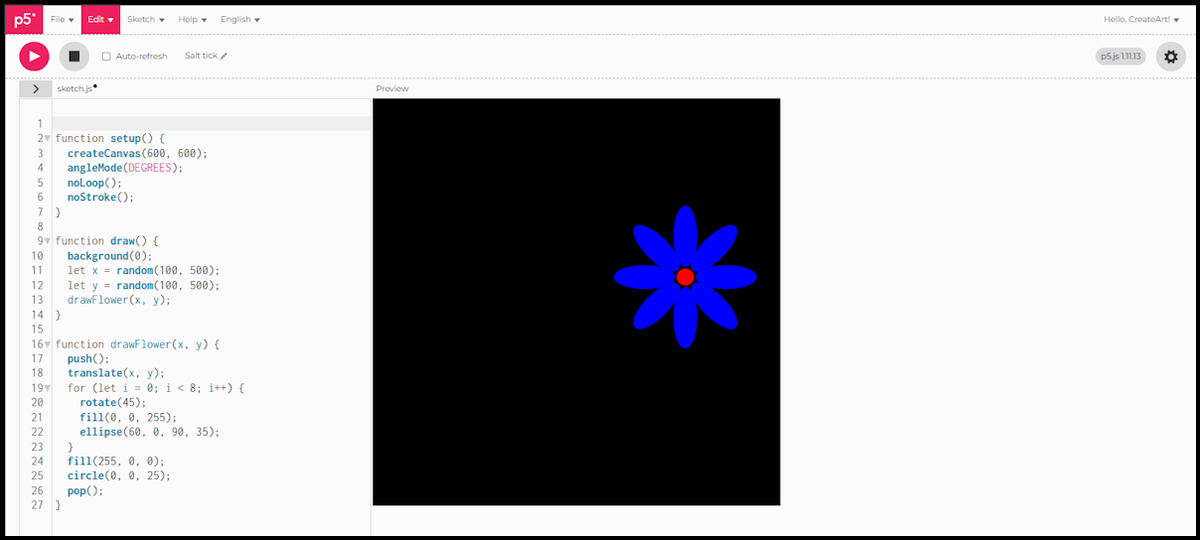
Every time this sketch runs, the flower lands somewhere new. drawFlower() doesn’t care where its numbers come from, fixed or random, it just uses whatever it’s given.
A random number of flowers, each with its own colour
Random position was just the start. Let’s bring random() into colour and count too.
function setup() {
  createCanvas(600, 600);
  angleMode(DEGREES);
  noLoop();
  noStroke();
}

function draw() {
  background(0);
  let count = floor(random(4, 8));
  for (let i = 0; i < count; i++) {
    let x = random(80, 520);
    let y = random(80, 520);
    let r = int(random(255));
    let g = int(random(255));
    let b = int(random(255));
    drawFlower(x, y, r, g, b);
  }
}

function drawFlower(x, y, r, g, b) {
  push();
  translate(x, y);
  for (let i = 0; i < 24; i++) {
    rotate(20);
    fill(r, g, b);
    ellipse(60, 0, 75, 15);
  }
  fill(255, 0, 0);
  circle(0, 0, 35);
  pop();
}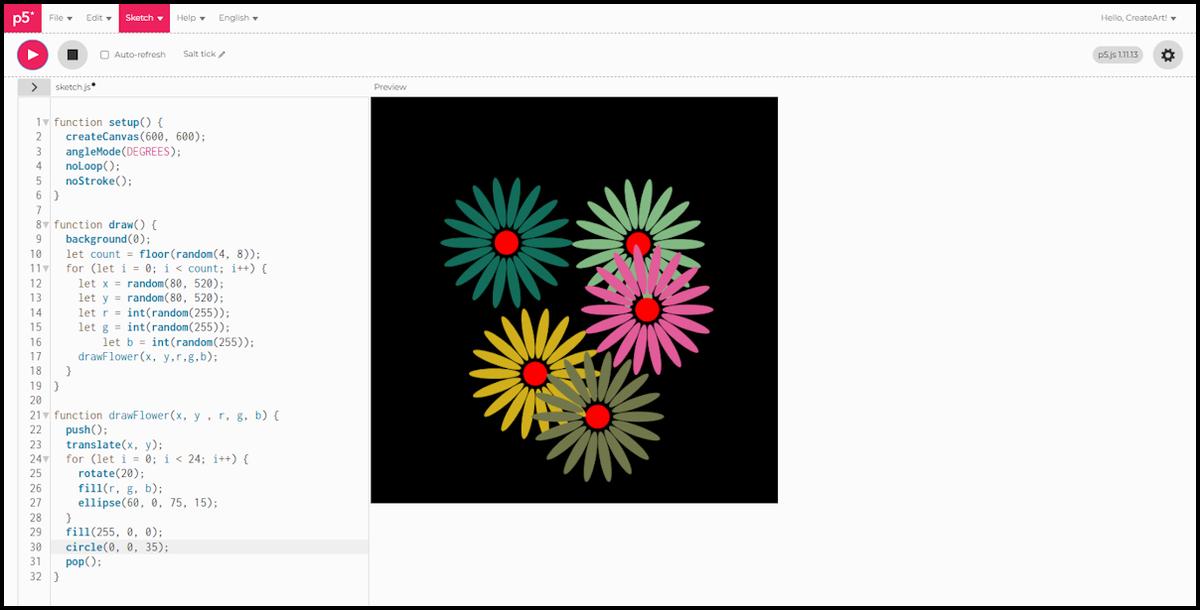
countdecides how many flowers to draw this run, 4 to 7.xandyplace each one at random, same as before.r,g, andbare three random numbers between 0 and 255, one flower’s own colour.int()rounds each down to a whole number, since colour values only work as whole numbers.
switch: mapping a number to a choice
Randomness isn’t just useful for position and colour, it can decide what to draw too. This time each cell gets two independent rolls: one switch for colour, one for shape.
function setup() {
  createCanvas(600, 600);
  noLoop();
  noStroke();
}

function draw() {
  background(0);
  let cols = 6;
  let cellSize = width / cols;

  for (let row = 0; row < cols; row++) {
    for (let col = 0; col < cols; col++) {
      let x = col * cellSize;
      let y = row * cellSize;
      let half = cellSize / 2;

      let colourChoice = floor(random(3));
      switch (colourChoice) {
        case 0:
          fill(187, 20, 20);
          break;
        case 1:
          fill(255, 163, 34);
          break;
        case 2:
          fill(0, 0, 178);
          break;
      }

      let shapeChoice = floor(random(8));
      switch (shapeChoice) {
        case 0:
          rect(x, y, cellSize, half);           // top half
          break;
        case 1:
          rect(x, y + half, cellSize, half);    // bottom half
          break;
        case 2:
          rect(x, y, half, cellSize);           // left half
          break;
        case 3:
          rect(x + half, y, half, cellSize);    // right half
          break;
        case 4:
          triangle(x, y, x + cellSize, y, x, y + cellSize);               // top-left corner
          break;
        case 5:
          triangle(x, y, x + cellSize, y, x + cellSize, y + cellSize);    // top-right corner
          break;
        case 6:
          triangle(x, y, x, y + cellSize, x + cellSize, y + cellSize);    // bottom-left corner
          break;
        case 7:
          triangle(x + cellSize, y, x + cellSize, y + cellSize, x, y + cellSize); // bottom-right corner
          break;
      }
    }
  }
}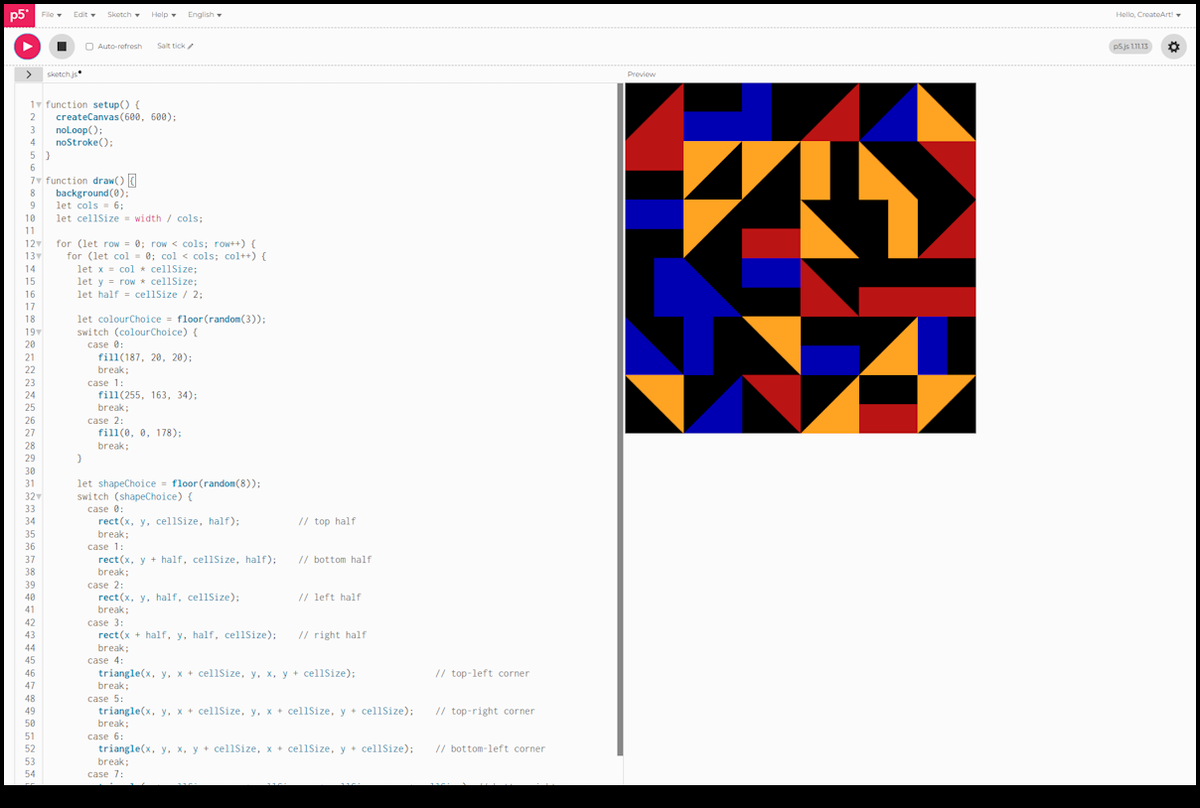
colourChoicepicks one of three fixed colours, red, orange, or blue, before anything is drawn.shapeChoicepicks one of eight shapes: a half-rectangle (top, bottom, left, or right) or a triangle filling one corner (top-left, top-right, bottom-left, or bottom-right).halfis justcellSize / 2, used to size and position the rectangle halves.
Colour and shape are chosen independently, so any of the three colours can land on any of the eight shapes. Run it again and the grid looks completely different: same three colours, same eight shapes, but a different roll for every cell.
In Session 11 we’ll look at building shapes from scratch with our own points, instead of relying on the built-in ones.