In Session 11 we built our own shapes with vertex() and splineVertex(). This session leaves shape aside and looks at colour itself.
RGB, a recap
Every colour we’ve used so far has been RGB: red, green, and blue, each from 0 to 255. Mixing the three gives you any colour on screen, but picking a specific hue this way takes some guessing, there’s no single number that means “orange.”
HSB: hue, saturation, brightness
HSB describes colour differently: hue is the colour itself, one number around a wheel from 0 to 360. Saturation is how vivid it is, 0 is grey, 100 is fully saturated. Brightness is how light or dark it is. colorMode(HSB) switches p5.js over to reading colours this way.
Let’s put twelve circles in a row and give each one a hue a little further around the wheel than the last.
function setup() {
  createCanvas(650, 200);
  colorMode(HSB, 360, 100, 100);
  noLoop();
  noStroke();
}
function draw() {
  background(0, 0, 0);
  for (let i = 0; i < 12; i++) {
    let hueValue = i * 30;
    fill(hueValue, 80, 90);
    circle(50 + i * 50, 100, 40);
  }
}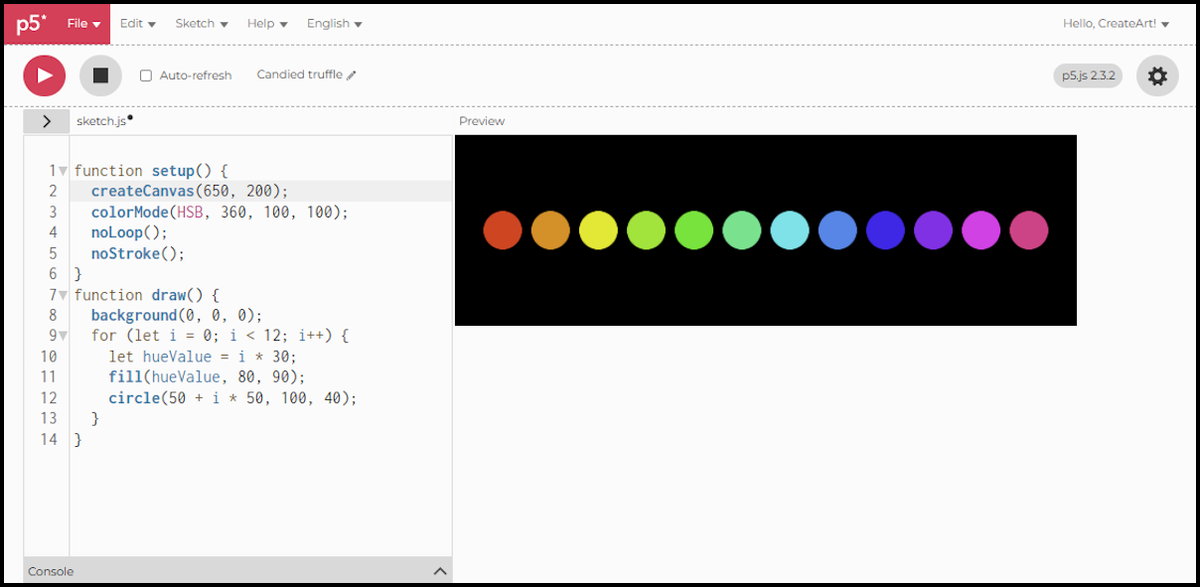
colorMode(HSB, 360, 100, 100)sets the scale for each value: hue up to 360, saturation and brightness up to 100.hueValueclimbs by 30 on every pass of the loop, so twelve circles cover the whole wheel.- Saturation and brightness stay fixed at 80 and 90, so nothing changes from circle to circle except the colour itself.
This is why HSB suits generative art so well: cycling through colour is just counting, rotating a single number around the wheel, instead of juggling three RGB values at once.
Opacity: the alpha channel
Both RGB and HSB accept a fourth number in fill(): alpha, or opacity. 0 is fully invisible, the maximum (255 in RGB, 100 in HSB) is fully opaque.
Two overlapping circles, neither of them solid, show what that actually does.
function setup() {
  createCanvas(600, 600);
  noLoop();
  noStroke();
}
function draw() {
  background(0);
  fill(200, 50, 50, 150);
  circle(240, 300, 300);
  fill(50, 100, 200, 150);
  circle(360, 300, 300);
}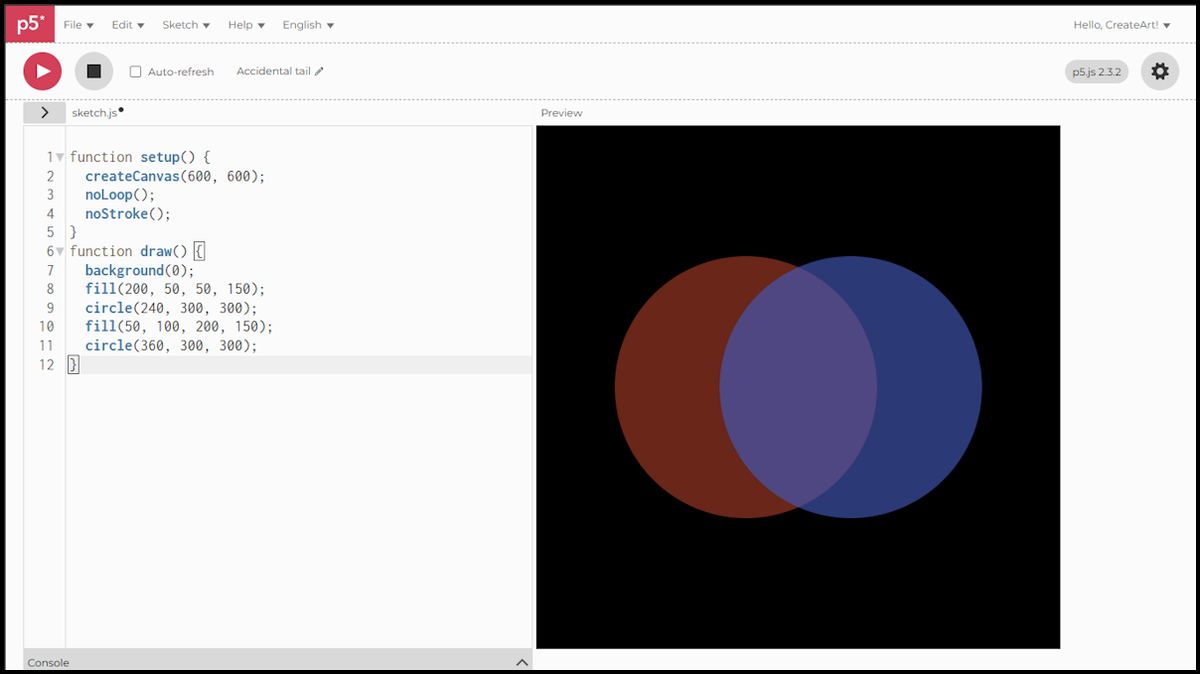
- The fourth number in
fill()is the alpha. Both circles use 150 out of 255, so both are translucent rather than solid. - Where the two circles overlap, the red and the blue blend into a third colour.
- The black background shows faintly through both, because neither one covers it completely.
Alpha works exactly the same way in colorMode(HSB), just add it as the fourth value there too.
The scripts in this session were written for p5.js 2.3.2, the version the web editor runs by default.
Next session, we take colour further: building a reusable palette, stored in an array, instead of picking values one at a time.