The Japan flag needed just one shape. This session we draw another flag, and for that we will add three more shapes to your toolkit.
The rect() function
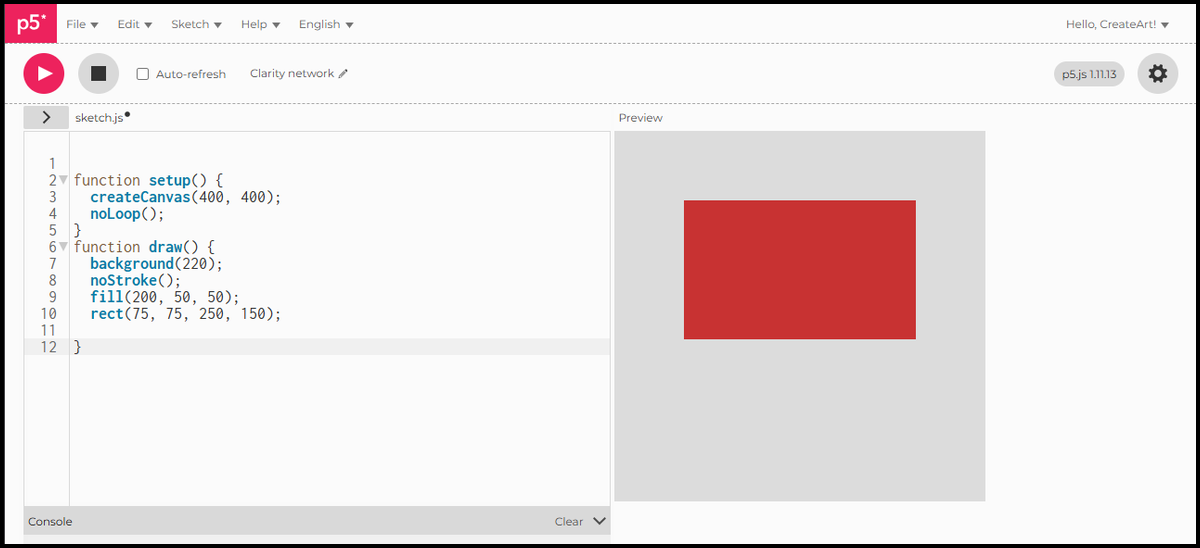
rect(x, y, width, height) draws a rectangle. By default, x and y are the top-left corner. Width and height set how far it stretches from there.
function setup() {
  createCanvas(400, 400);
  noLoop();
}
function draw() {
  background(220);
  fill(200, 50, 50);
  noStroke();
  rect(75, 75, 250, 150);
}
A 250 by 150 rectangle, starting 75 pixels from the left edge and 75 from the top.
rectMode(CENTER)
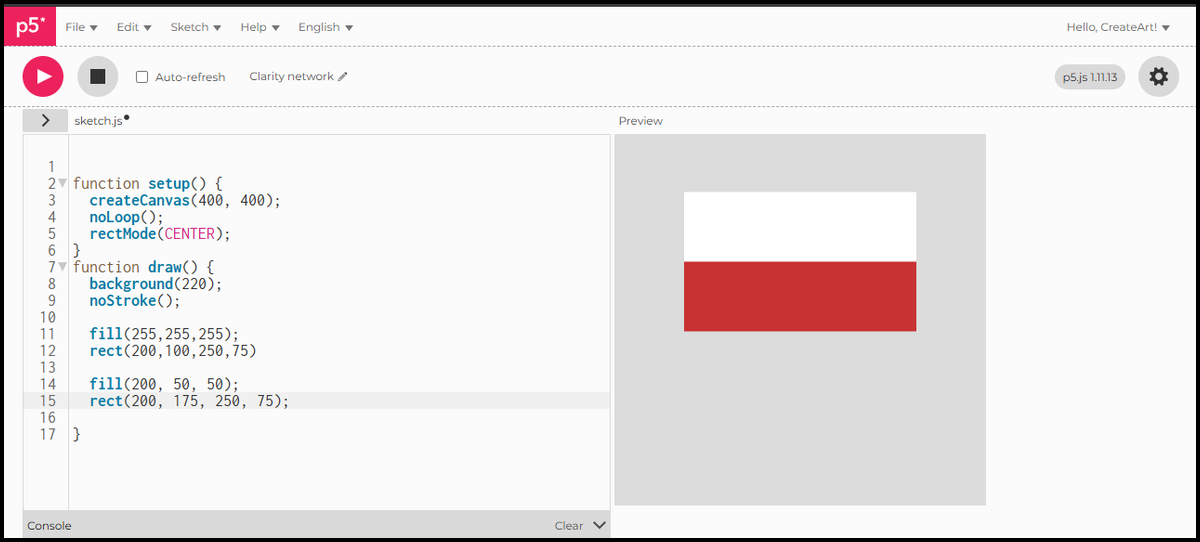
By default, rect() positions from the top-left corner. rectMode(CENTER) changes that: x and y become the centre point, the same way ellipse() works. That makes it easier to position several shapes relative to each other on the canvas. To switch back: rectMode(CORNER).
function setup() {
  createCanvas(400, 400);
  noLoop();
  rectMode(CENTER);
}
function draw() {
  background(220);
  noStroke();

  fill(255, 255, 255);
  rect(200, 100, 250, 75);

  fill(200, 50, 50);
  rect(200, 175, 250, 75);
}
Two rectangles centred on the same vertical axis. White on top, red below. The flag is starting to take shape.
The line() function
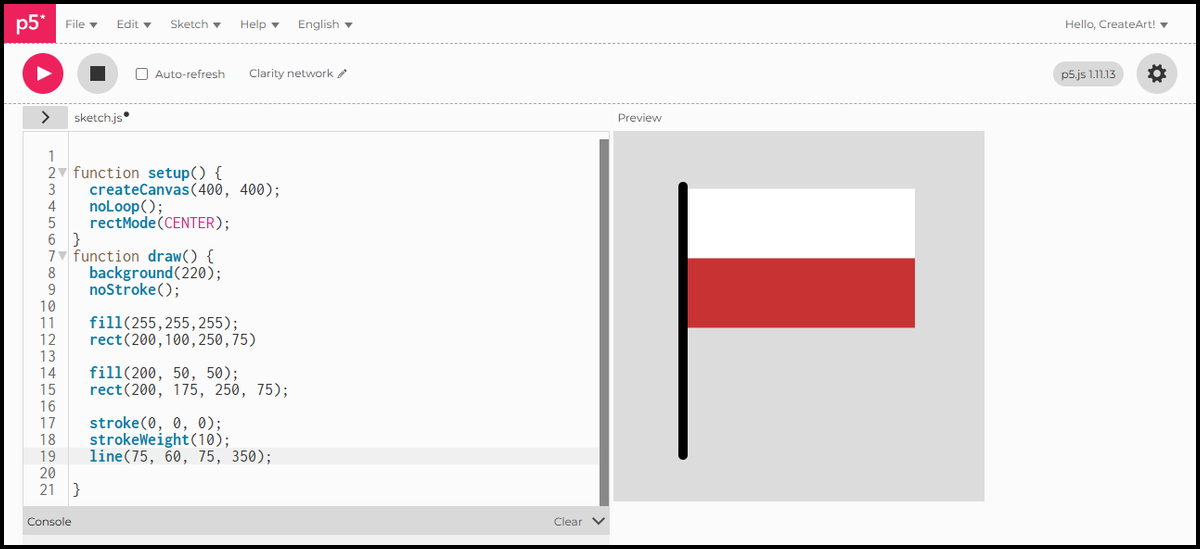
line(x1, y1, x2, y2) draws a straight line between two points. A line has no fill, only a stroke. stroke() sets its colour and strokeWeight() sets its thickness.
function setup() {
  createCanvas(400, 400);
  noLoop();
  rectMode(CENTER);
}
function draw() {
  background(220);
  noStroke();

  fill(255, 255, 255);
  rect(200, 100, 250, 75);

  fill(200, 50, 50);
  rect(200, 175, 250, 75);

  stroke(0, 0, 0);
  strokeWeight(10);
  line(75, 60, 75, 350);
}
The flagpole is a vertical black line, 10 pixels wide, running along the left edge of the flag.
The triangle() function
triangle(x1, y1, x2, y2, x3, y3) connects three points. Each pair of numbers is one corner.
function setup() {
  createCanvas(400, 400);
  noLoop();
  rectMode(CENTER);
}
function draw() {
  background(220);
  noStroke();

  fill(255, 255, 255);
  rect(200, 100, 250, 75);

  fill(200, 50, 50);
  rect(200, 175, 250, 75);

  stroke(0, 0, 0);
  strokeWeight(10);
  line(75, 60, 75, 350);

  fill(17, 69, 126);
  noStroke();
  triangle(75, 62.5, 75, 212.5, 200, 137.5);
}
The blue wedge has three corners: top-left at (75, 62.5), bottom-left at (75, 212.5), and the tip pointing right at (200, 137.5). Almost a flag. But the pole has disappeared behind the triangle, because the triangle was drawn after it. p5.js executes draw() in sequence, top to bottom. Whatever is written last appears on top.
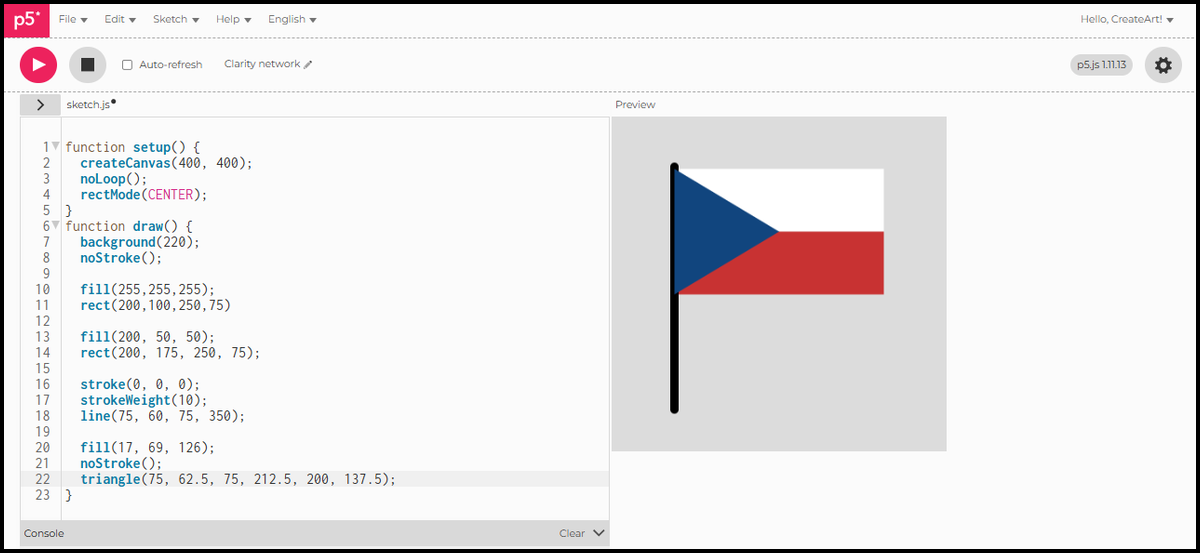
Draw order
Moving the line to the end of draw() puts it on top of everything else.
function setup() {
  createCanvas(400, 400);
  noLoop();
  rectMode(CENTER);
}
function draw() {
  background(220);
  noStroke();

  fill(255, 255, 255);
  rect(200, 100, 250, 75);

  fill(200, 50, 50);
  rect(200, 175, 250, 75);

  fill(17, 69, 126);
  noStroke();
  triangle(75, 62.5, 75, 212.5, 200, 137.5);

  stroke(0, 0, 0);
  strokeWeight(10);
  line(75, 60, 75, 350);
}
The pole now sits in front of the flag, exactly where it should be.
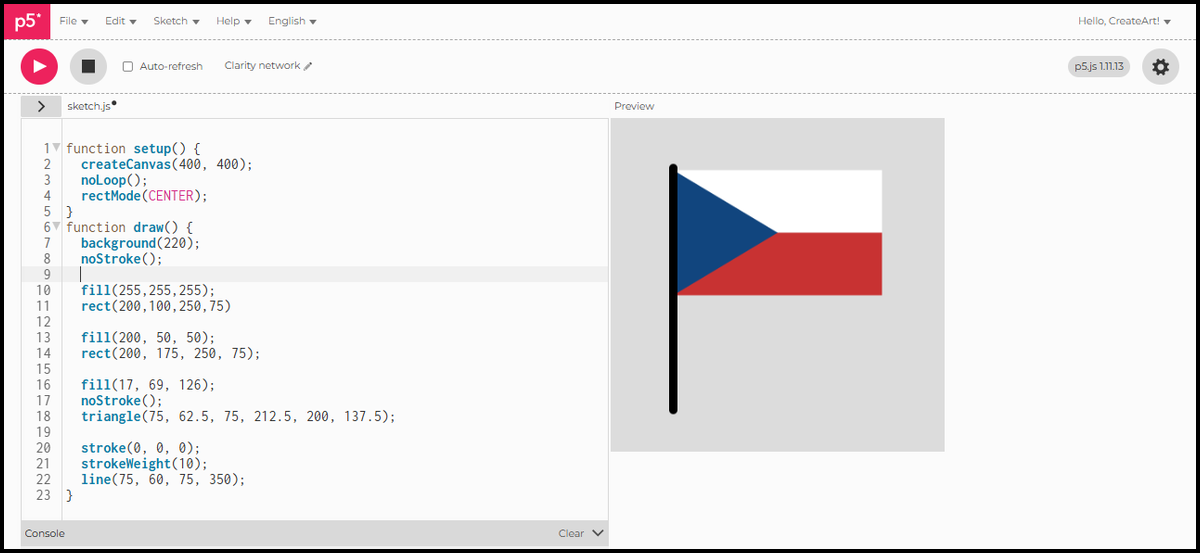
Czech flag
As scripts grow it gets easy to lose track of what each part does. Comments let you add notes directly in the code. p5.js ignores them when the sketch runs. They are there for you, not the computer. Put // before any text to make it a comment. A comment on its own line is enough to label a whole block.
function setup() {
  createCanvas(400, 400);
  noLoop();
  rectMode(CENTER);
}
function draw() {
  background(220);
  noStroke();

// White top stripe
  fill(255, 255, 255);
  rect(200, 100, 250, 75);

// Red bottom stripe
  fill(200, 50, 50);
  rect(200, 175, 250, 75);

  // Blue triangle
  fill(17, 69, 126);
  noStroke();
  triangle(75, 62.5, 75, 212.5, 200, 137.5);

  // Flagpole
  stroke(0, 0, 0);
  strokeWeight(10);
  line(75, 60, 75, 350);
}
In Session 4 we look at loops: how to repeat a shape across the canvas without writing the same line of code a hundred times.